New Layer System — Now Functional in PixSimulate FXStudio
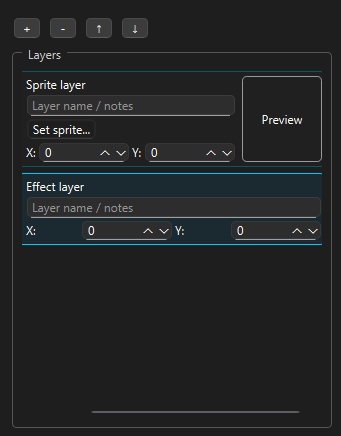
The new Layer System is now working and being integrated into the latest development builds of PixSimulate FXStudio.
This system allows you to:
-
Stack multiple sprites or scenes within a single simulation
-
Enable or disable each layer individually (visibility, simulation, collisions, etc.)
-
Mark a layer as “non-simulated” so it remains static while others interact with it
-
Manage collisions between layers, including static ones
-
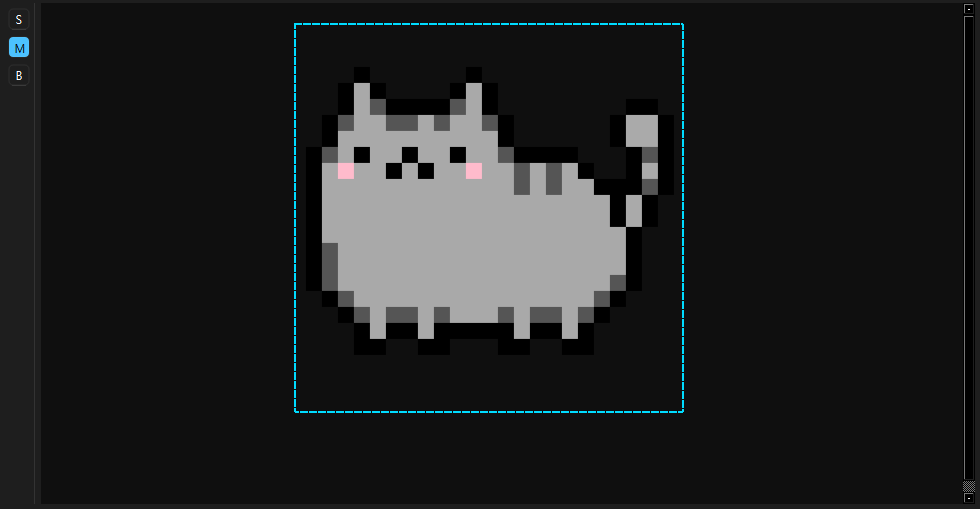
Select, move, or hide sprites directly in the canvas
-
Display a blue outline around the currently selected sprite
This addition opens the door to multi-layered simulations, such as:
-
A static background with dynamic effects like rain or fire in front
-
A solid scene with particles bouncing off fixed objects
-
Separate physical tests running within the same project
The goal is to create a composite workflow where each layer can act as an independent simulation unit, or stay static, depending on the creative need.
Next steps:
-
Multi-layer export simulation system
-
Layer-specific parameters (density, friction, background color, etc.)
This update is part of the ongoing technical redesign of PixSimulate FXStudio, focused on flexibility, control, and creative freedom.
Leave a comment
Log in with itch.io to leave a comment.